



















Unlock Smarter Video Calls with the Yealink SmartVision 40
Unlock smarter collaboration with the Yealink SmartVision 40. Enjoy AI video, dual 48MP cameras, and Teams Rooms support—available now at Spoglink.shop.

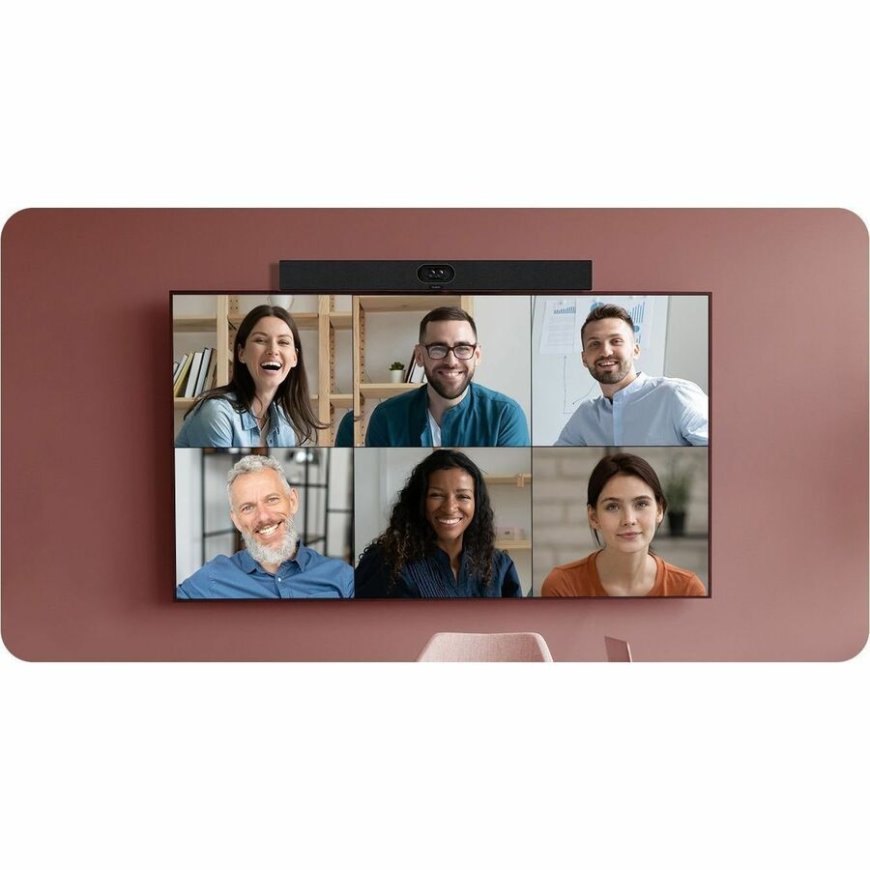
In a world where hybrid and remote work have become the norm, the quality of your video conferencing setup can make or break communication. Whether you're leading team meetings, collaborating with remote departments, or engaging clients virtually, you need technology that delivers clarity, reliability, and ease of use. Enter the Yealink SmartVision 40 a next-generation AI-powered video conferencing device built to redefine the way you connect.
This article will explore why the yealink smartvision 40 is one of the smartest investments for modern conference rooms. Well cover its standout features, AI capabilities, setup instructions, and why Spoglink.shop is the best place to purchase your device. Lets dive into the future of smarter video calls.
What is the Yealink SmartVision 40?
The yealink smartvision 40 is an all-in-one intelligent video conferencing bar designed specifically for small to medium-sized meeting rooms. With its dual 48MP cameras, built-in microphone array, AI voice tracking, and native Microsoft Teams Rooms support, this device ensures every meeting runs smoothly and professionally.
Its built to offer a true plug-and-play experience, simplifying deployment while delivering superior audio-visual performance. With AI features and a wide field of view, the SmartVision 40 transforms ordinary video calls into immersive, collaborative experiences.
Top Features of the Yealink SmartVision 40
1. Dual 48MP Cameras with AI Framing
The SmartVision 40 is equipped with two 48MP lenses, providing ultra-HD resolution and a 133 super-wide-angle field of view. With AI-powered auto-framing, speaker tracking, and multi-focus framing, the device ensures every participant is clearly visible and automatically placed in focus during meetings.
2. Powerful Audio with Voice Recognition
Built with a 12 MEMS microphone array, the SmartVision 40 can capture voices from up to 6 meters away. With AI voice recognition, it isolates and highlights the active speaker, reducing ambient noise through Yealinks Noise Proof Technology.
3. Native Microsoft Teams Rooms Support
Certified for Microsoft Teams Rooms (MTR) on Android, the yealink smartvision 40 allows seamless integration and one-touch meeting access. It eliminates the need for external PCs or complex installations making setup effortless and intuitive.
4. Built-in Android 10 OS
With an embedded Android 10 system, the device supports advanced processing, easy updates, and native app functionality. You can launch, schedule, or join video calls without needing any additional hardware.
5. Multi-Camera Intelligent Layout
Thanks to its multi-camera intelligent layout, the SmartVision 40 adapts in real-time, showing the right speaker, framing multiple participants intelligently, and switching views based on whos speaking. This makes it feel like youre in the same roomeven if you're not.
Why Choose the Yealink SmartVision 40 for Your Meeting Rooms?
-
Ideal for small to mid-sized meeting spaces
-
Dual-camera system offers dynamic, cinematic video
-
Crystal-clear audio even in noisy environments
-
No external PC required
-
Fully certified for Microsoft Teams
-
Easy deployment with remote management options
With smart features and powerful optics, the yealink smartvision 40 is not just a camerait's an intelligent collaboration assistant.
Where to Buy the Yealink SmartVision 40?
When it comes to purchasing the yealink smartvision 40, trust only reliable and authorized vendors. Spoglink.shop is your go-to destination for professional conferencing technology.
Why Buy from Spoglink.shop?
-
Genuine Yealink products with manufacturer warranty
-
Fast, nationwide shipping
-
Expert pre- and post-sale support
-
Secure payment options
-
Technical assistance for installation and configuration
At Spoglink.shop, we understand the importance of investing in reliable, future-ready technology. Thats why we offer only the bestfrom brand to service.
Simple Setup Guide for the Yealink SmartVision 40
Setting up the yealink smartvision 40 is designed to be fast and frustration-free:
-
Unbox the device and choose a central position in your meeting room.
-
Connect it to power and your network via Wi-Fi or Ethernet.
-
Pair it with a Yealink touch console (like the CTP18 or CTP20) for easy control.
-
Sign in to your Microsoft Teams Room account.
-
Run a test call to ensure video, audio, and tracking are all functioning.
You're now ready to enjoy smarter, AI-enhanced meetings with the SmartVision 40.
Final Thoughts
The yealink smartvision 40 is revolutionizing small-room video conferencing with its powerful dual-camera system, intelligent framing, and AI voice tracking. For businesses looking to elevate their remote collaboration without overcomplicating setup, this device is a top-tier solution.
Packed with features and optimized for Microsoft Teams Rooms, its more than a cameraits a smarter way to connect. And when you buy from Spoglink.shop, you're guaranteed genuine quality, expert service, and long-term value.
Frequently Asked Questions (FAQs)
Q1: Is the Yealink SmartVision 40 compatible with Zoom or only Microsoft Teams?
A: It is primarily designed and certified for Microsoft Teams Rooms, but it may support other platforms with custom configurations. Contact Spoglink.shop for compatibility assistance.
Q2: How many people can the SmartVision 40 accommodate in a room?
A: Its optimized for small to medium rooms, typically accommodating up to 8 participants with clear audio and visual framing.
Q3: Does it require a PC to operate?
A: No. The device has a built-in Android system and is completely standalone for Teams Rooms usage.
Q4: Can I manage the device remotely?
A: Yes. It supports Yealinks Device Management Platform for remote monitoring and configuration.
Q5: Where can I buy the Yealink SmartVision 40 online?
A: You can order it from Spoglink.shop, an authorized Yealink reseller offering excellent service and support.